Will it fit?
Know first.
Point your iPhone or iPad at your doors, hallways, stairs and elevators. Pivot works out whether a sofa, fridge or dresser can get through, then shows the exact tilt and turn that gets it in.
Coming soon to the App Storebefore the truck shows up
Measure the way in.
Add every door, hallway turn, staircase and elevator from the curb to the room. Point your camera at each one and Pivot reads the measurement. A drawing shows exactly what each measurement means, and every number stays editable.
no tape measure needed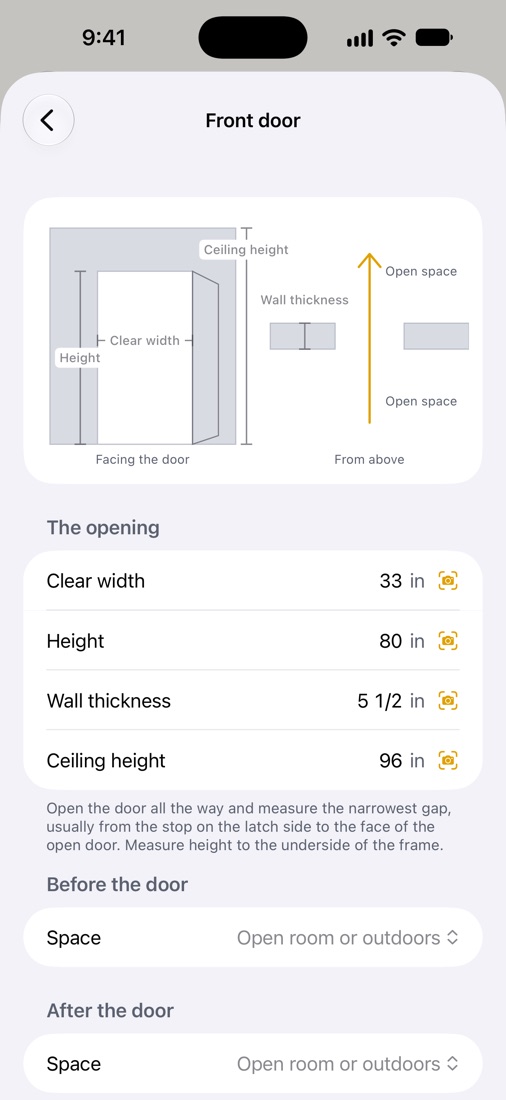
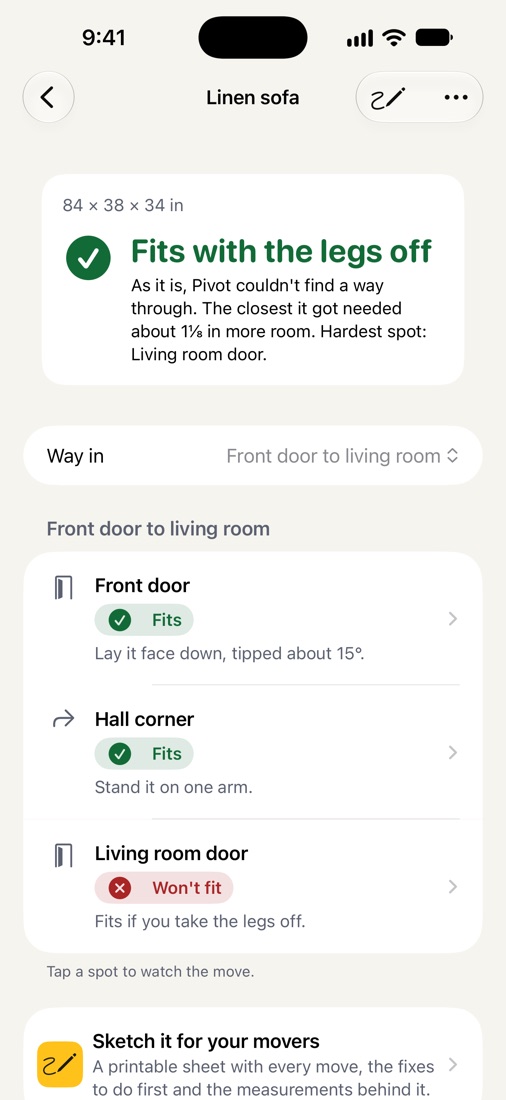
Get the answer, and the fix.
Pivot tries thousands of tilts and turns at every spot. You get Fits, Tight or Won't fit, whether there's room to spare, and the fix that makes it work, like taking the legs off or lifting a door off its hinges.
legs off = it fits!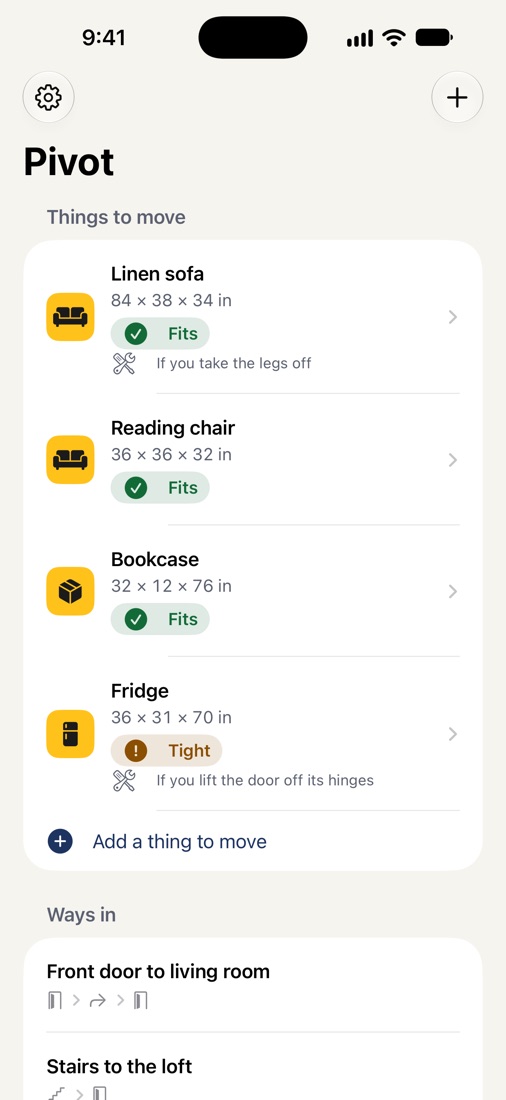
See the exact tilt and turn.
Watch the move play through the tight spot in 3D, with plain steps underneath that follow along: stand it on one arm, go in back first, turn it as it passes. Drag to look around, or tap a step to jump to it.
stand it on one arm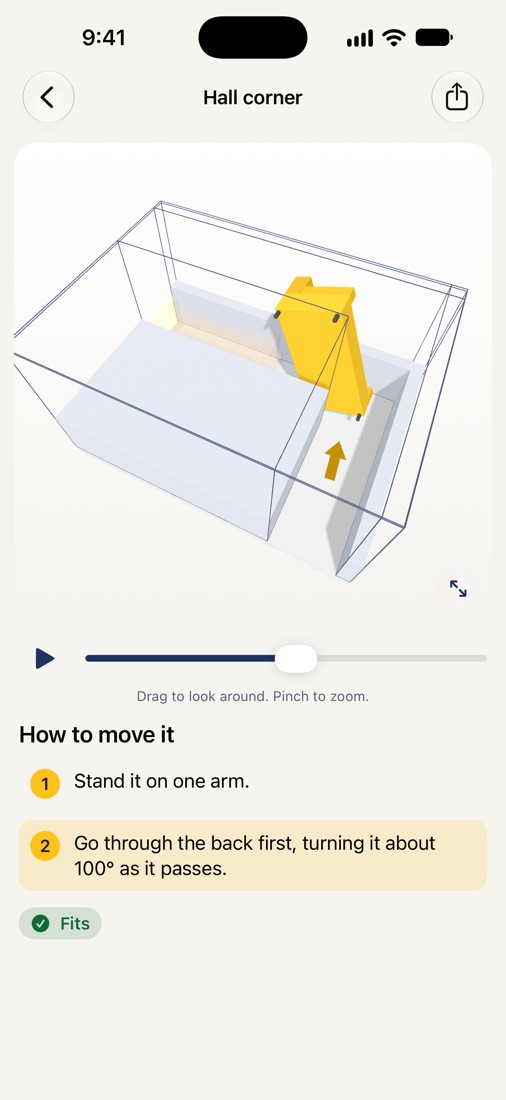
Sketch it for your movers.
One tap turns the plan into a printable sheet: the fixes to do first, a hand-drawn page for every spot, and the measurements behind it. Share it, print it, tape a page up where it happens.
tape a page at each spot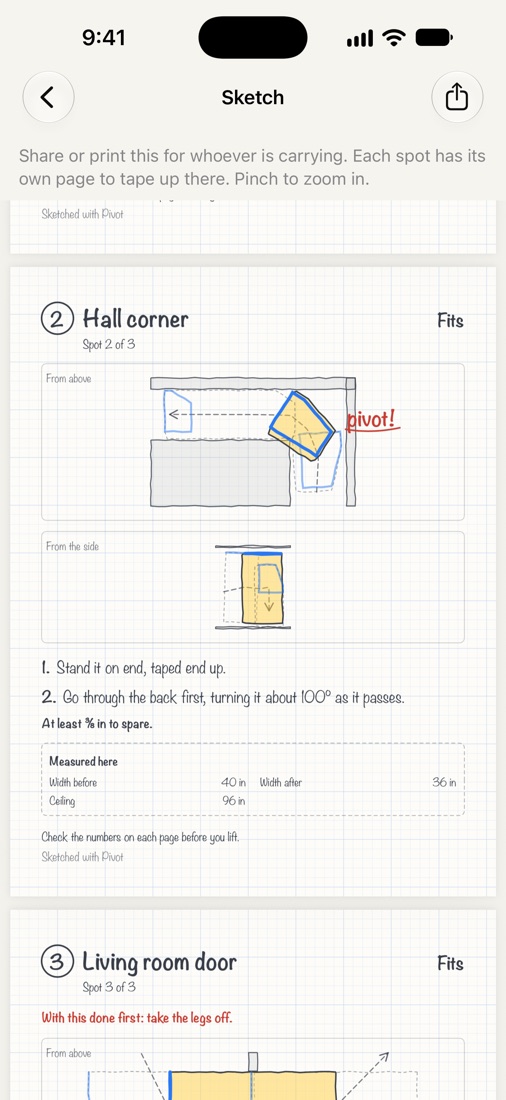
Yours, and only yours.
Everything you enter stays on your iPhone or iPad. The Pivot app has no account, no ads and no tracking, and it works without an internet connection.

Measure once. Lift once.
Free for iPhone and iPad.
Coming soon to the App Store